Task #58
openAdmin – Prescription (Medicine) Master (CRUD)
0%
Description
Task Description:
Implement CRUD (Create, Read, Update, Activate/Deactivate) functionality for the Prescription (Medicine) Master in the Admin module.
This allows the admin to manage the list of medicines that doctors can select and prescribe during consultation.
Navigation:
Admin Login → Masters → Prescription Master
Required Fields (Prescription Master)
id (PK, auto-generated)
hospitalId (FK)
medicineName (unique)
strength (optional – e.g., 500mg, 250mg)
isActive (default: true)
createdAt (system-generated)
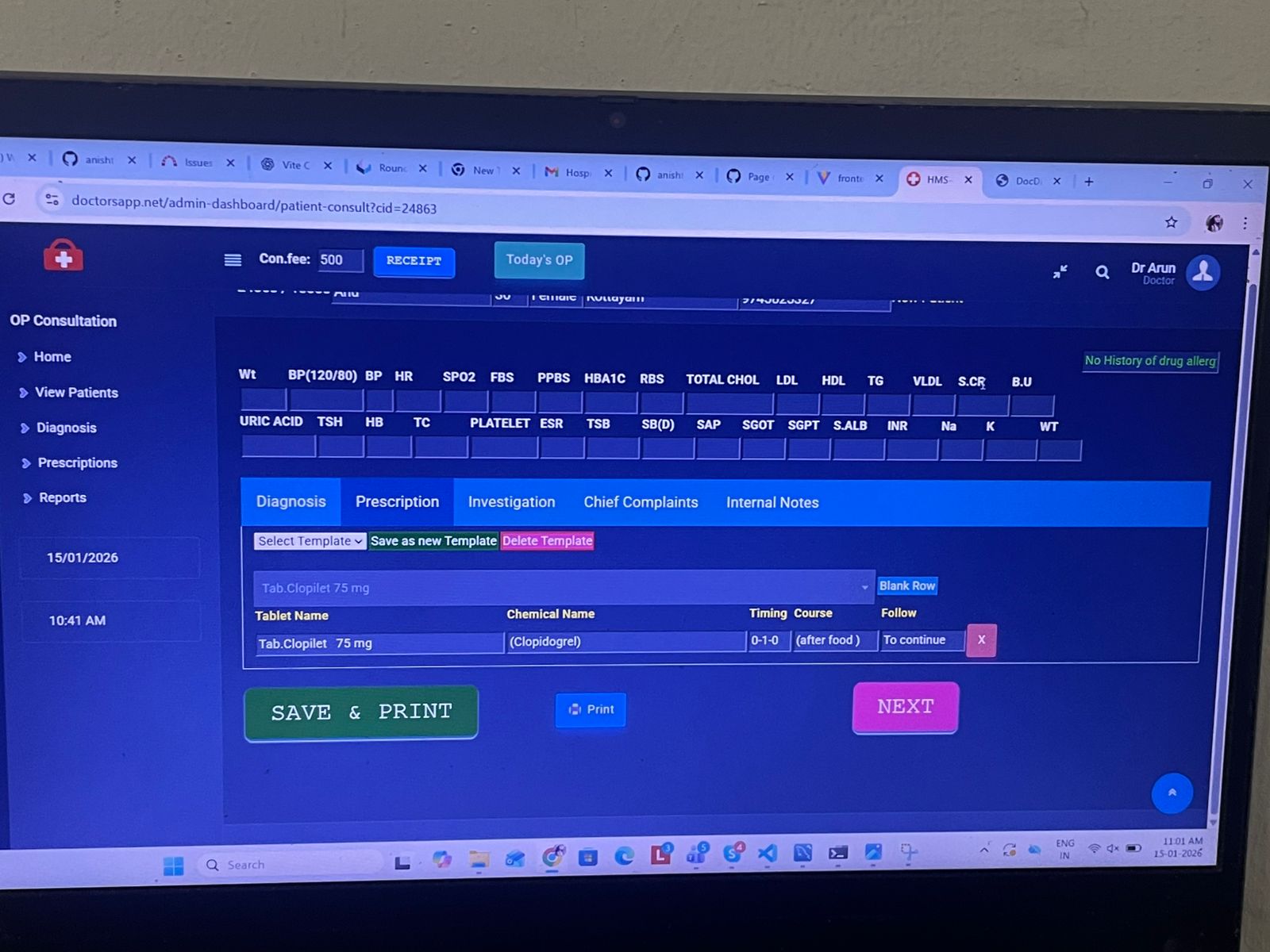
Chemical Name
Timing (e.g., 1-0-1)
Duration (days)
Course (Before Food / After Food / Any)
Follow(To continue[default],Review After X Days, Stop After Completion, If Symptoms Persist) [Drop down + editable]
Features to Implement (Points)
Add a new medicine
Assign medicine to the logged-in admin’s hospital
View list of all medicines
Display:
-Medicine name
-Chemical name
-Strength
-Default timing, duration, course, follow
-Status (Active / Inactive)
Edit medicine details
Activate / deactivate medicine
Prevent hard delete (use isActive)
Load hospital-specific medicines only
Auto-fill default values when doctor selects medicine
Hide inactive medicines from doctor prescription screen
Disable save during API call
Show minimal success and error messages
Basic Validations:
Medicine name is required
Trim leading/trailing spaces in medicine name
Default timing format must be valid (e.g., 1-0-1)
Duration must be a positive number
Course must be one of BEFORE_FOOD / AFTER_FOOD / ANY
Follow defined follow drop down options and can be completely editable
Prevent duplicate submission
Files